Your Webflow site, taking bookings. On tap.
Embed a booking widget on your own domain, book against your CMS Collections, and write every booking back as a CMS item. Google and Outlook sync, Stripe payments at 0% commission. No redirect to Calendly.
Free to start · bookings pay out to your own Stripe · we never take a cut
Works with the tools you already run on
 Webflow
  Google Calendar
  Outlook
  Stripe
 Great Webflow site. Bookings that happen somewhere else.
Calendly sends your visitors away
They click "Book a call" and land on calendly.com, a different brand, a different page, your Webflow design gone. Some drop off there and never come back.
Your bookings live in someone else’s tool
Every appointment sits inside a scheduling app. Your Webflow site, the thing you actually own, knows nothing about it. You cannot list it, filter it, or build on it.
Per-seat pricing punishes a growing team
Add a second staff member and the bill jumps. Scheduling tools charge per seat, per month, whether that person took two bookings or two hundred.
Scheduling that belongs to your Webflow site
Books against your Webflow CMS
Model staff, services and locations as CMS Collections and they become bookable. Your site stays the source of truth; WhenTap reads it and syncs within seconds of an edit.
Writes every booking back to your CMS
Each confirmed booking is saved as a native CMS item, name, service, staff, date, status. Build a dashboard, a "next appointments" list, or a Logic flow on it, all in Webflow.
Two-way Google and Outlook sync
Connect each staff member’s calendar. Their busy times block slots automatically, and new bookings drop straight onto their calendar with the customer’s details.
Payments into your own Stripe, at 0%
Take payment at booking through Stripe Connect. Money pays out straight to your account. WhenTap never takes a cut of a booking, our only charge is a flat monthly plan.
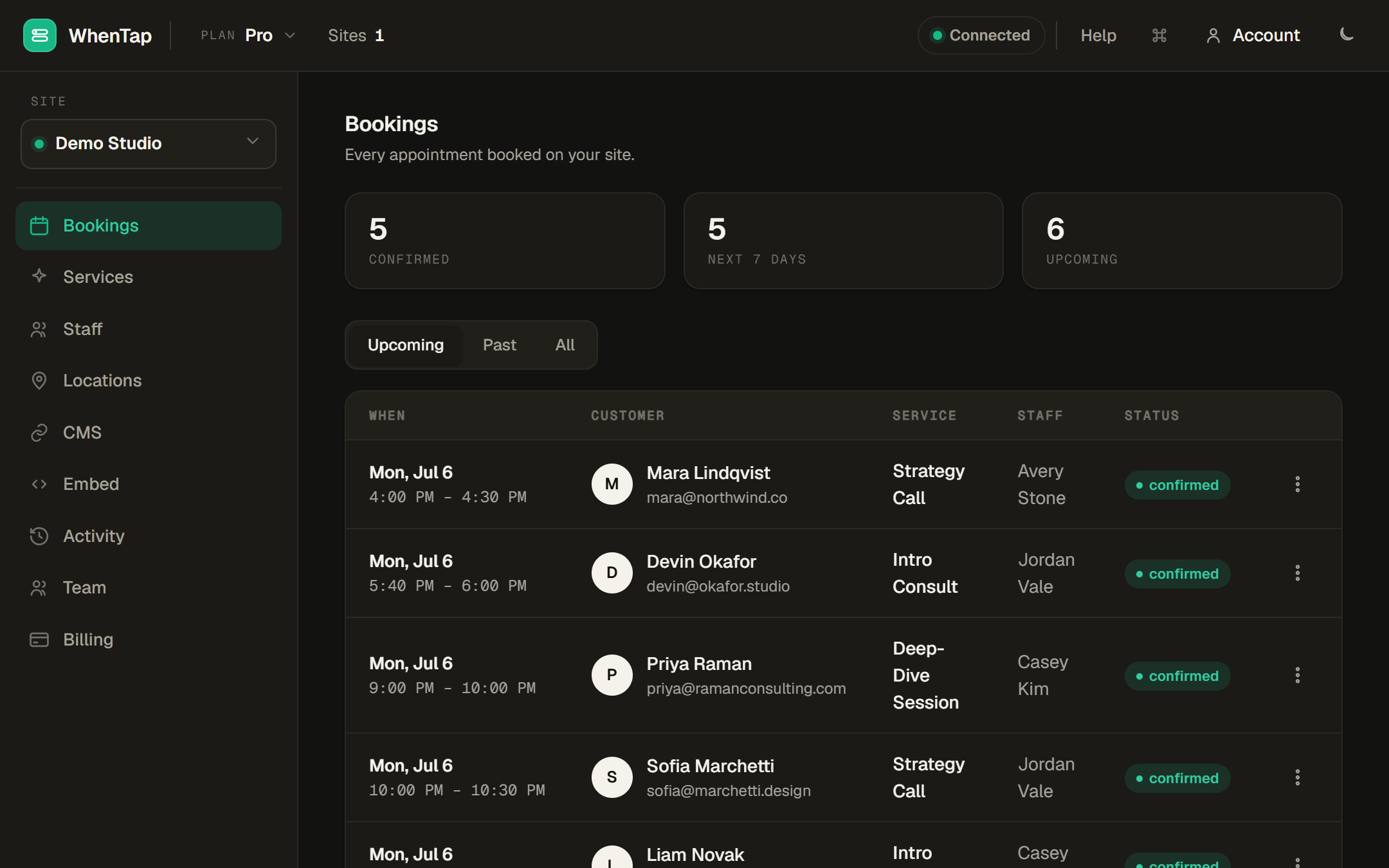
One panel for every booking, every site
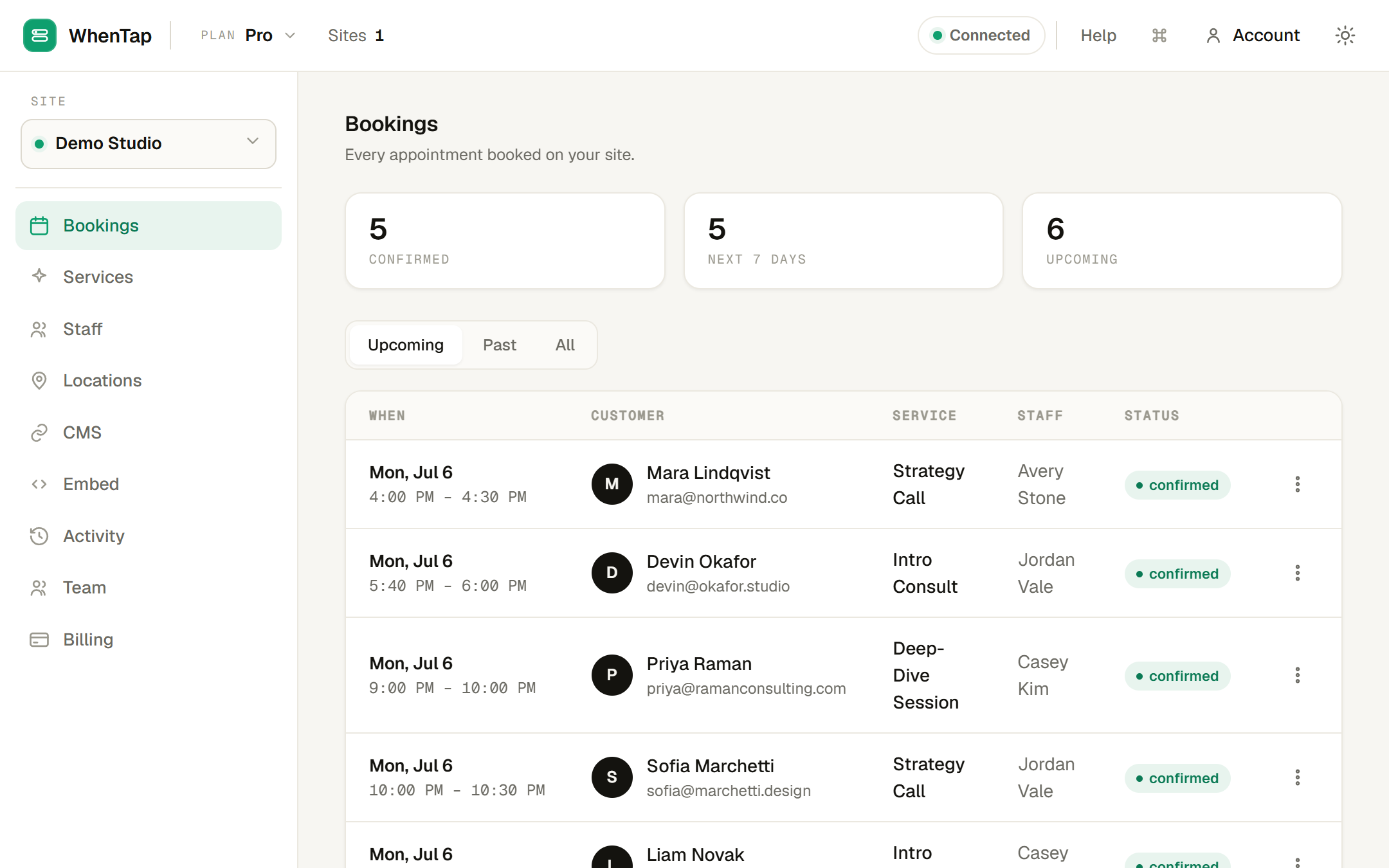
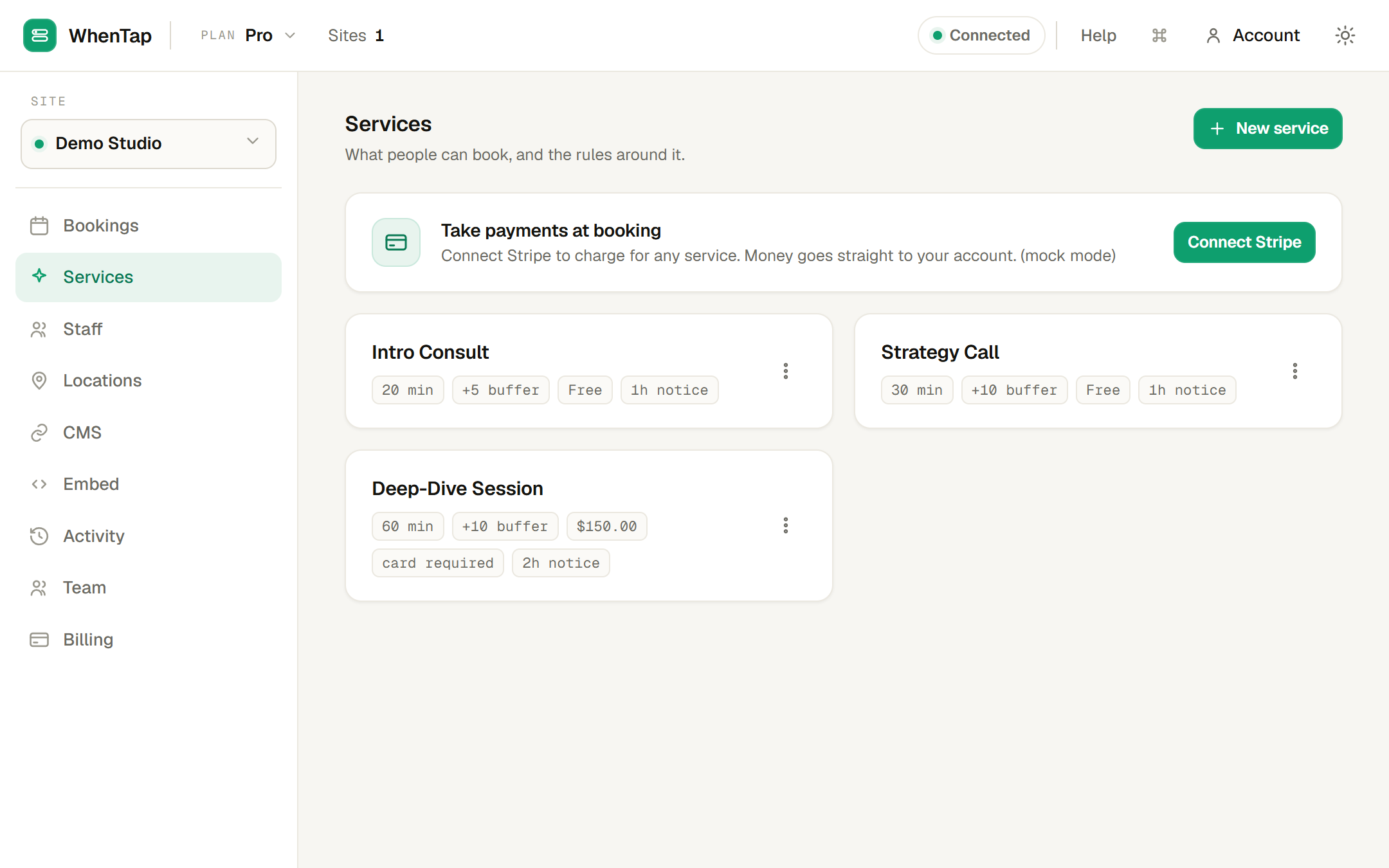
Connect. Configure. Embed.
Connect Webflow
Authorize WhenTap on your workspace. We read the site you choose and register webhooks so CMS edits sync in real time.
Set up what people book
Add services, staff and their hours, or map them from existing CMS Collections. Attach locations and intake questions per service.
Embed the widget
Paste one script tag into a Webflow Embed element. A self-sizing booking widget appears on your own domain, in light or dark.
Built for service businesses on Webflow
If people book time with you, and your site is on Webflow, WhenTap fits without a redirect, a plugin marketplace, or a developer.
See plansStudios & salons
Classes and one-to-one slots, each staff member with their own hours and their own calendar.
Clinics & practitioners
Intake questions per service, buffers between appointments, and "we come to you" home visits.
Consultants & coaches
Paid discovery calls that collect the fee up front and land on your Google or Outlook calendar.
Agencies
Run several client sites from one account, each with its own staff, services and Webflow CMS.
vs Calendly & Cal.com
Both are excellent scheduling tools. WhenTap is the one built into Webflow. Full breakdown →
| Feature | WhenTap | Calendly | Cal.com |
|---|---|---|---|
| Embeds on your own Webflow domain | ✓ | ~ | ~ |
| Books against your Webflow CMS Collections | ✓ | ✕ | ✕ |
| Writes each booking back to your CMS | ✓ | ✕ | ✕ |
| Google & Outlook two-way sync | ✓ | ✓ | ✓ |
| Payments into your own Stripe at 0% fee | ✓ | ~ | ~ |
| Flat price, not per-seat-per-month | ✓ | ✕ | ~ |
| Self-service reschedule & cancel links | ✓ | ✓ | ✓ |
| Run multiple client sites from one account | ✓ | ~ | ~ |
✓ native · ~ possible with steps or add-ons · ✗ not really
It takes bookings and money, so it is careful with both
Tokens encrypted at rest
Every Webflow and calendar token is AES-256-GCM encrypted. We never store your customers’ card details, Stripe does.
EU-hosted
Runs on a single EU server (Hetzner) with your data in an isolated database. GDPR-ready by design.
You own the data
Bookings live in your Webflow CMS and payments in your own Stripe. Uninstall and both stay exactly where they are.
Export or delete anytime
Download everything we hold as JSON, or delete your account and every record with it, from the panel, no email required.
Flat monthly plans. 0% of your bookings.
We charge for the software, never for the appointments. Your payments pay out to your own Stripe.
Starter
For a single site getting its first bookings.
- 1 Webflow site
- 1 staff member
- 1 location
- Up to 100 bookings / month
- CMS write-back, sync, calendars & Stripe
Growth
For a growing team on one or two sites.
- 2 Webflow sites
- Up to 3 staff
- Up to 1,000 bookings / month
- Remove the WhenTap badge
- Everything in Starter
Pro
For busy practices and larger teams.
- 5 Webflow sites
- Up to 10 staff
- Unlimited locations
- Unlimited bookings
- Everything in Growth
Agency
For agencies running many client sites.
- Unlimited sites
- Unlimited staff
- One account, many clients
- Priority support
- Everything in Pro
No lock-in. Your bookings live in your own Webflow CMS and your payments in your own Stripe, forever.
We kept seeing beautiful Webflow sites hand their most important moment, the booking, to a tool on someone else’s domain. The appointment vanished into an app the business did not own, and the bill grew with every seat. So we built scheduling that stays on your site, writes back to your CMS, and pays out to your own account. Your bookings should belong to you.
— The WhenTap team
Notes on booking, in the open
The paid booking that said "pending", a Stripe Connect webhook story
The payment succeeded, the money moved, and the booking still said pending. The cause was a detail of Stripe Connect that is easy to miss: a checkout created on a connected account only notifies the Connect webhook, not your platform one. A build-log on finding it and fixing it for good.
The buffer between appointments, and the bug that let people book into it
Buffer time gives staff a few minutes to breathe between appointments, but only if the schedule actually reserves it. Here is a subtle availability bug we caught in testing, where a booking held its own time but not its buffer, and the one test that surfaced it.
Two-way Google and Outlook calendar sync, done right
Push a booking onto a staff calendar, read their busy times back to block slots. The idea is simple, the failure modes are not. A build-log on how WhenTap keeps Google and Outlook in sync both ways, and the invalid_grant that taught us to surface reconnects.
Questions, answered honestly
Do my visitors leave my site to book?
No. The widget embeds on your own Webflow page with a single script tag, on your domain, in your design. There is no redirect to a WhenTap or Calendly page.
What does "book against my CMS" actually mean?
Model your staff, services or locations as Webflow CMS Collections and WhenTap turns them into bookable resources. Edit a service in Webflow and the widget reflects it within seconds. Each booking is then written back to a Collection you choose as a native CMS item.
How do payments work, and what is your cut?
You connect your own Stripe account. Paid services collect the fee at booking and it pays out straight to you. WhenTap sets its platform fee to zero, so we take 0% of your bookings. We only charge a flat monthly subscription.
Which calendars do you sync with?
Google Calendar and Microsoft Outlook, both ways. A staff member’s busy times block their slots, and each new booking is added to their calendar with the customer’s details. It is removed again if the booking is cancelled.
Are timezones and daylight saving handled correctly?
Yes. Availability is computed per staff member in their own timezone and converted to exact UTC instants per calendar date, so daylight-saving shifts never move a slot by an hour. Impossible spring-forward times are skipped.
Can customers reschedule or cancel themselves?
Yes. Every confirmation includes a private, signed link where the customer can pick a new time or cancel. No login, and if they paid, a cancellation issues the refund automatically.
Do I need a developer to set it up?
No. Connecting Webflow is a click, setup is done in the panel, and embedding is one script tag pasted into a Webflow Embed element. No flows to build or maintain.
What happens to my data if I leave?
Your bookings are already in your Webflow CMS and your payments in your own Stripe, so they stay put. You can also export everything as JSON or delete your account and all its records from the panel.
Ready to book on your own site?
Tell us about your site, or just start free. Setup takes minutes and there is no card required to try it.