Services, staff & availability
Three things decide what a visitor can book and when: the services you offer, the staff who deliver them, and each staff member's availability. This page covers all three, and how to map them from your Webflow CMS instead of setting them up by hand.
Services
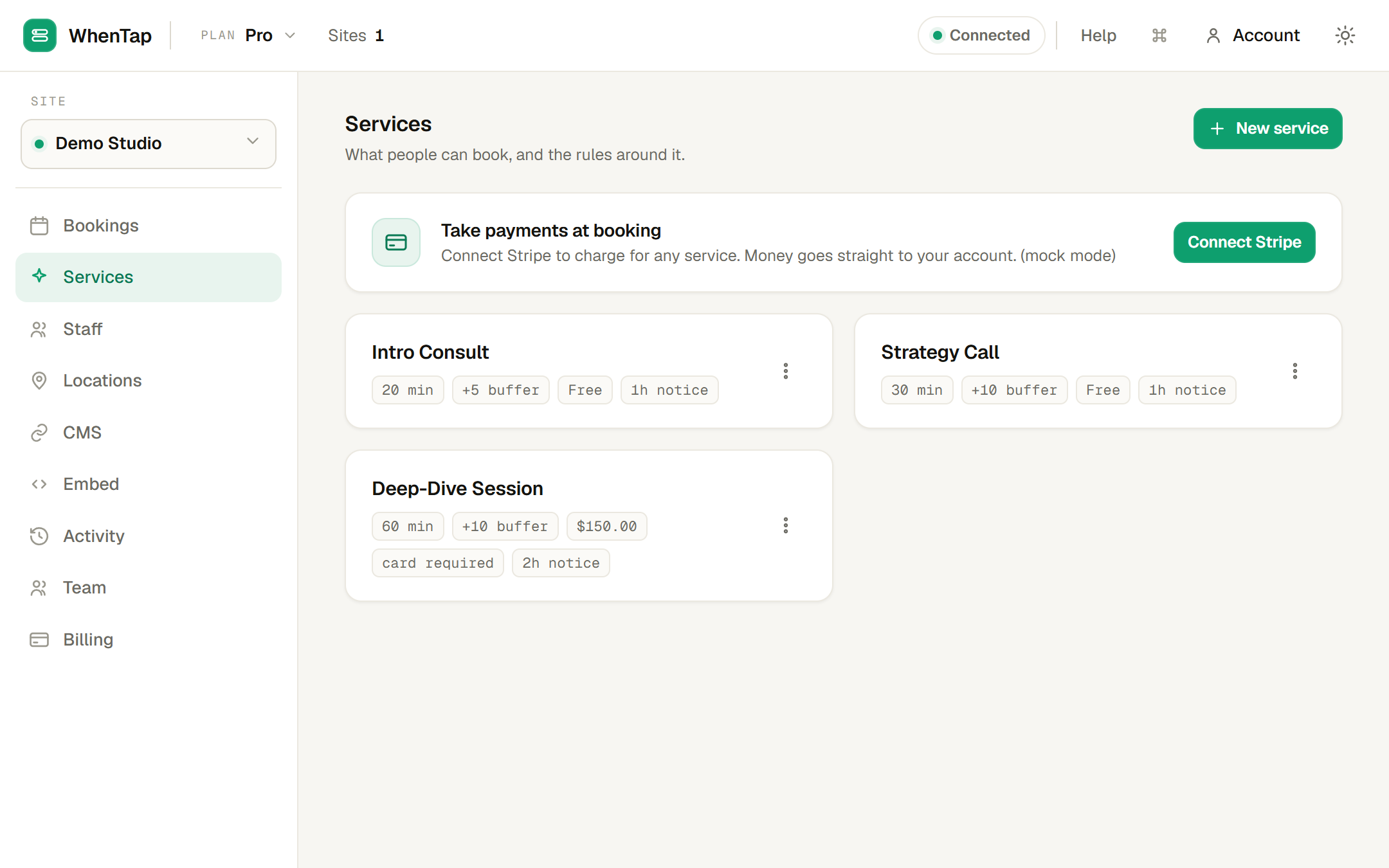
A service is one bookable thing. For each one you set:
- Duration, how long the appointment runs. This is also the slot spacing, so a 30-minute service offers slots every 30 minutes.
- Buffers, quiet time before and after the appointment. A booking with a 10-minute buffer after it will not let anyone book the next 10 minutes, useful for cleanup or notes.
- Minimum notice, how many hours ahead someone must book (so no one books a slot starting in five minutes).
- Bookable window, how many days into the future the calendar opens.
- Price and payment required, if you charge for it. See Taking payments with Stripe.
You can also attach locations and intake questions to a service.
Staff
Staff are who (or what) takes the bookings, a person, a practitioner, a room, a chair. Each staff member has a name, an optional email (used to notify them of new bookings), and a timezone. The timezone matters: all of their hours are interpreted in it, so a booking always lands at the right local time regardless of where the customer is.
Assign staff to services so the widget knows who can deliver what. A service with several qualified staff lets the visitor choose; a service with one skips the choice.
Availability
Each staff member has a set of weekly hours, for example Monday to Friday, 09:00 to 17:00, in their own timezone. WhenTap turns those hours into bookable slots for each service, subtracting anything that is already busy: existing bookings, buffers, and, if a calendar is connected, their real calendar events. See Connecting Google & Outlook.
Days off and overrides. Block a single date (a holiday, a day off) and no slots appear for it. You can also open or block a specific window on a specific date when your hours differ from the usual week.
Availability is recomputed live from all of this, and cached for about a minute so the widget stays fast under load. The moment a booking is taken, that cache is cleared so the slot disappears immediately for everyone else.
Mapping from your Webflow CMS
If you already keep your team, services or locations as Webflow CMS Collections, you do not have to re-enter them. Map a Collection to WhenTap in the CMS panel and its items become bookable resources. Your Webflow CMS stays the source of truth: edit an item in Webflow and WhenTap picks up the change within seconds through a webhook (with a fifteen-minute safety-net resync as a backstop). See Booking write-back to your CMS for the other direction, writing bookings back into a Collection.